

Your connected life is scattered across devices, accounts, platforms and networks. One weak point can open the way to everything else.
I have been interested in technology for as long as I can remember.
I used to troubleshoot my own Windows laptop, format devices, install software and work through problems on phones long before smartphones became central to everyday life. I was never a cybersecurity specialist, but I understood that technology had an underlying structure. Files had locations. Software had permissions. Accounts were connected. Actions had consequences.
Today, our lives are no longer stored in one place.
They are scattered across devices, accounts, platforms and networks – each connected to the next.
The contradiction

Apollo 11’s onboard computer worked with about 4 KB of working memory. A flagship smartphone with 12 GB of RAM carries around three million times more memory – and it is only one device in a much larger ecosystem.
Your laptop holds your work. Your email controls your accounts. Your cloud storage contains your files and memories. Your television connects to your home network. Your browser remembers where you have been. Your applications know who you speak to. Your subscriptions hold your payment details.
We no longer use isolated pieces of technology. We live inside an ecosystem of connected devices, accounts, identities and information.
An email opens a cloud account.
A cloud account connects to a laptop.
A laptop accesses a workplace.
A phone approves the login.
One compromised point can create a path to everything else.
Yet many of us move through this ecosystem with little understanding of how its parts are connected. We accept permissions. We reuse passwords. We send confidential files to ourselves. We sign into new platforms using accounts that already protect much of our digital lives.
And most of the time, nothing happens.
Until something does.
A phone disappears.
A laptop is left unlocked.
An email arrives from someone impersonating a person we trust.
A cloud link is shared with the wrong person.
A work account is accessed from an unknown location.
Suddenly, what appeared to be one small incident begins moving through the entire system. Only then do we discover how much was connected, how much was exposed and how little we understood about protecting it.
That is not simply a device problem.
It is not simply an account problem.
It is a digital literacy problem.

Start with one uncomfortable question

Imagine that one of the central devices or accounts in your digital life disappeared from your control right now.
- Could you still access your primary email?
- Do you know which services depend on that email for recovery?
- Could you lock, locate or erase the missing device remotely?
- Could you remove it from your work and cloud accounts?
- Are your essential files backed up somewhere you can actually recover them from?
- Would you know which official support channel to contact first?
Many people would immediately call the most technically knowledgeable person they know. But when our identities, finances, work and relationships are connected, personal security cannot depend entirely on having a tech-savvy friend available.
You do not need to become an IT professional. You do need a plan.
1 Understand your digital ecosystem
Before protecting your digital life, you need to understand what it contains and how its parts connect.
Create a simple map of your most important devices and accounts: your primary and recovery email addresses, financial services, social media profiles, cloud storage, work platforms, connected home devices, services holding payment details and subscriptions that renew automatically.
Pay particular attention to your primary email. It is often the master key to your digital life. Anyone controlling it may be able to reset passwords and gain access to several other accounts.
Review this map every few months. Remove old devices, close unused accounts and update outdated recovery information. Security begins with knowing what you are protecting.

2 Protect the accounts that protect everything else
A difficult password alone is not a complete security strategy.
Start with your email, financial accounts, cloud storage and work platforms. Use unique passwords, a trusted password manager, multi-factor authentication and passkeys where they are available and appropriate.
Keep recovery information current and store recovery codes somewhere safe.
Do not keep your only recovery method on the device you may lose. If one phone contains your password manager, authentication application and recovery information, losing it could lock you out of everything at once.
Security should never depend on a single point of failure.
3 Learn how to read a message before acting on it
Phishing messages are not always badly written emails from unknown senders. They may imitate a colleague, manager, bank, delivery company or familiar service.
Before clicking, downloading or replying, examine the complete sender address, the real destination of links, unexpected attachments, requests involving money or credentials, artificial urgency and login pages reached through unsolicited messages.
A message can appear convincing and still be fraudulent. When a request involves money, passwords, account changes or sensitive files, verify it through a second channel. Contact the person or organisation using details you already trust, not the number or link supplied in the message.
That brief pause may prevent a much larger incident.

I see this often in my own work. As a marketing professional managing pages with large followings, I regularly receive fake LinkedIn emails about campaign updates, account warnings or free advertising credit. They can look convincing, especially when they overlap with real campaigns. But a closer look usually reveals something slightly wrong: an unusual signature, an extra letter in the sender’s address or a different domain extension.
A quick check against LinkedIn’s official email domains can expose the message. Then the next step is simple: report it, block the sender and remove it from your inbox. A few minutes of attention can protect your pages, data and digital territory.
4 Separate personal activity from professional access
Remote and hybrid work have made the boundary between personal and professional technology less visible. That does not make the boundary less important.
Avoid forwarding company files to personal email, uploading work documents to unapproved cloud services, installing unauthorised applications on corporate devices, using personal storage devices without approval or allowing other people to use work equipment.
Use separate browser profiles or applications for work and personal activity where possible. Follow your organisation’s file-sharing, device-management and access-control policies. Never copy confidential company information into a public AI tool unless the organisation has explicitly approved that use.
Most importantly, report mistakes quickly. Hiding a suspicious click or accidental disclosure gives an incident more time to grow. Early reporting gives security teams more time to contain it.
5 Control what you share, what you approve and who you trust
Remote and hybrid work have made the boundary between personal and professional technology less visible. That does not make the boundary less important.
Avoid forwarding company files to personal email, uploading work documents to unapproved cloud services, installing unauthorised applications on corporate devices, using personal storage devices without approval or allowing other people to use work equipment.
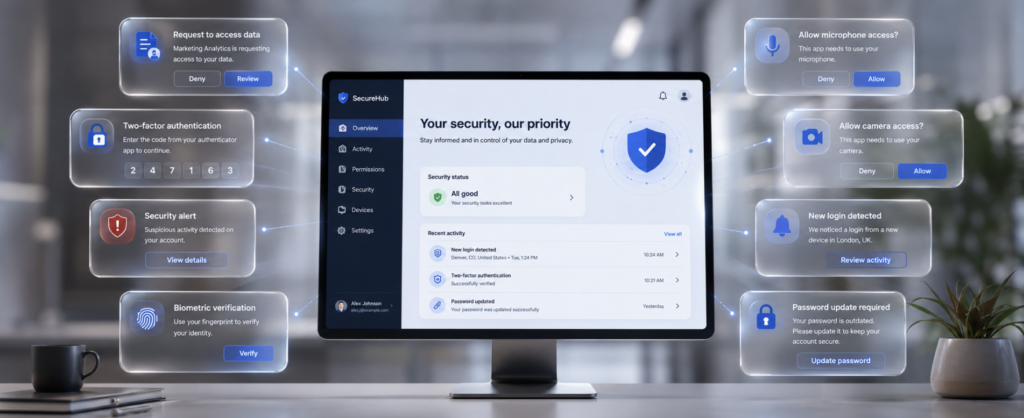
Use separate browser profiles or applications for work and personal activity where possible. Follow your organisation’s file-sharing, device-management and access-control policies. Never copy confidential company information into a public AI tool unless the organisation has explicitly approved that use.
Most importantly, report mistakes quickly. Hiding a suspicious click or accidental disclosure gives an incident more time to grow. Early reporting gives security teams more time to contain it.
6 Prepare for an incident before it happens
Good digital security is not based on believing that nothing will go wrong. It is based on being ready when something does.
Every important device should have a secure screen lock, automatic updates, encryption where available, location and remote-lock features, a tested backup and current recovery information.
Know your first steps. If an account is compromised, begin with the email account controlling its recovery: change the password, sign out other sessions, review recovery settings and strengthen authentication. If a work device or account is involved, inform the appropriate internal team immediately. If money is involved, contact the bank or payment provider through its official channel.
Do not wait for an emergency to discover how these tools work.
7 Learn how to work with customer support
Customer support is one of the most overlooked parts of digital literacy.
Throughout my work in marketing, I have dealt with major technology platforms and service providers to recover accounts, replace inaccessible email addresses, correct payment issues and dispute unwanted renewals. These cases are rarely solved by sending one frustrated sentence.
Before contacting support, collect screenshots, transaction references, invoices, account names, relevant dates, previous case numbers, a concise timeline and the exact outcome you need. Use only the organisation’s official support pages; be cautious of phone numbers or “recovery specialists” appearing in advertisements or unsolicited messages.
Automated support systems may appear first. Use clear phrases such as “account compromised”, “unauthorised payment”, “security incident” or “human support” to explain the issue and request escalation when necessary.
Once connected to a representative, remain available, answer questions accurately and keep the case organised. Support is a collaborative problem-solving process. The representative needs evidence and context; you need patience, clarity and persistence.

8 Make security education part of normal life
Digital security training should not begin after an incident. Free courses, videos and awareness resources can teach the fundamentals of account protection, phishing prevention, data privacy, device security and online fraud.
Organisations also carry an important responsibility. At ITS, employees are enrolled in mandatory training and operate within defined security requirements designed to protect corporate systems, accounts and information. This becomes especially important when teams work across different locations and some employees connect remotely.
Technology alone cannot secure a company. Employees must understand the risks, follow procedures and know how to report suspicious activity. Security awareness must be maintained, tested and updated as threats evolve.
The same principle applies at home. A company protects its infrastructure through policies, training, access controls and recovery plans. Individuals should apply a smaller version of that same structure to their own devices and accounts.
Your 15-minute digital security reset
Digital literacy is not measured by how many devices you own or how quickly you learn a new application. It is measured by whether you understand the systems you depend on.
You do not need to know how to repair a laptop, write software or investigate a cyberattack. But you should know what controls your identity, where your information is going, how to recognise danger and what steps to take when control begins to slip.
Our phones, laptops, accounts, workplaces, homes and identities are no longer separate. They are doors into the same connected life.
Every password is a key.
Every permission is an invitation.
Every recovery method is a way back in.
And every weakness can become an entrance.
Digital security is not simply about protecting technology. It is about protecting your access, your identity, your work, your money, your memories and your ability to remain in control of them.
Because once our lives became connected, security stopped being only a technical responsibility. It became a personal one.
We already live online.
Make sure that life still belongs to you.